how to tronimo
original google docIn tronimoes, players take turns laying tiles on the board. They start from the central tile, known as the "round leader". Lines are built by matching pips from tile to tile.
Here, there are two players: red and blue. They both have lines beginning from the 3:3 round leader. All players must begin their line from the round leader.
The goal is to win the round, which can be accomplished in two ways: being first to run out of tiles, or being the last player standing.
0 | 1 |
2 | 3 | 4 | 5 | ||||||
1 |
| ||||||||||
2 |
| ||||||||||
3 |
|
| |||||||||
4 | |||||||||||
5 | |||||||||||
6 |
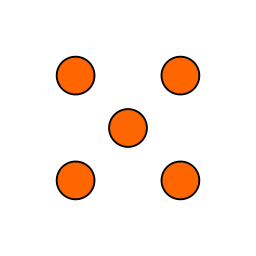

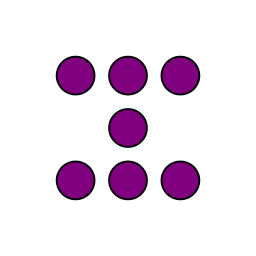

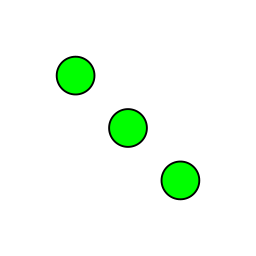
The round leader, or the tile at the center of the board, is chosen and placed automatically.
It is the highest double available from a player's hand that is lower than all previous round leaders.
If no one has such a double, every player draws a tile until the double is found. This tile-drawing is why in some rounds, especially later ones, players may begin the round with a higher-than-expected number of tiles.
The last round is the one that is led by the double-zero.
If a player lays a tile that makes it impossible for another player to continue their line, that player is "killed", and their line is "dead".
Their tiles remain on the board, blocking others.
What move can blue make to win this round?
0 | 1 |
2 | 3 | 4 | 5 | ||||||
1 | |||||||||||
2 |
|
| |||||||||
3 |
| ||||||||||
4 | |||||||||||
5 | |||||||||||
6 |
That's right (probably): blue can place their next tile blocking red from continuing.
Unfortunately for red, the edges of the board block them on one side, and blue's tiles block the other. There is no way to play more tiles on that line, so it's dead.
0 | 1 |
2 | 3 | 4 | 5 | ||||||
1 |
| ||||||||||
2 |
|
| |||||||||
3 |
| ||||||||||
4 | |||||||||||
5 | |||||||||||
6 |
If you pass, and you weren't chicken-footed already, you become chicken-footed.
When you are chicken-footed, other players may lay tiles on your line, and you may only play on your own line.
Other players are likely to do bad things to you. If they have your line box itself in, you're dead and they get the credit (it's the player who laid the tile that made it so you couldn't continue who gets points for the kill).
Once you are finally able to play a tile on your own line again, you are no longer chicken-footed.
The first time you become chicken-footed, you must complete a vision quest.
On tronimoes.com, that means doing a quick image search for something that makes you feel like you're chicken-footed. The resulting image is your chicken-foot.
When you are chicken-footed, your chicken-foot is displayed on the end of your line, making it clear to you and your opponents that you are chicken-footed.
You're red, and it's blue's turn. What do you think they might do?
0 | 1 | 2 | 3 | 4 | 5 | ||||||
1 |
| ||||||||||
2 |
| ||||||||||
3 |
|
| |||||||||
4 | |||||||||||
5 | |||||||||||
6 |
If you find yourself in the unfortunate position of being unable to play off the round leader, you still become chicken-footed but must choose a square, adjacent to the round leader, for your foot.
You choose this square by clicking on it before you pass.
When you are finally able to play, it must go through this chosen square. If someone attempts to play on your line, it must go through this square.
It is illegal for another player to lay a tile in such a way that you can never play the first tile of your line. However, they may leave a box for you which results in line-death immediately once the first tile is played.
0 | 1 | 2 | 3 | 4 | 5 | ||||||
1 | |||||||||||
2 | |||||||||||
3 |
|
| |||||||||
4 | |||||||||||
5 | |||||||||||
6 |

If you have a double that is higher than any leader on the board, you can use it to start a "free line".
The free-line spacer is a special non-played tile that helps determine where a new free line can be started.
The spacer is six squares long, and can be placed beginning on the end of any living line on the board. The leader is then placed off the other end of the spacer. Then the spacer is removed from the board and does not impact future turns.
Later free lines must have a leader whose pips are higher than the previous free line leaders.
0 | 1 | 2 | 3 | 4 | 5 | ||||||
1 | RIGHT-CLICK TO CLEAR | ||||||||||
2 |
| ||||||||||
3 |
|
| |||||||||
4 | |||||||||||
5 | |||||||||||
6 |
0 | 1 | 2 | 3 | 4 | 5 | ||||||
1 | |||||||||||
2 |
| ||||||||||
3 |
|
| |||||||||
4 | |||||||||||
5 | |||||||||||
6 |
|
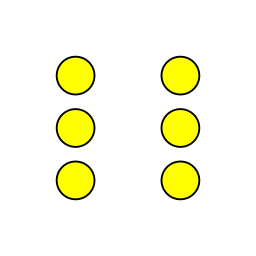
The double-6 is the leader of a new free line.
Any player who is not chicken-footed can play on the free line, but unlike the round leader, only a single line is created.
Free lines can be used to kill player lines, and the player who used it to do so is the one who gets credit.
Free lines can also be killed, but no one gets points (what kind of reprobate would do that?).
Upon starting a new free line, the player immediately goes again (since they just played a double).
Sometimes the line you play on may be ambiguous. Tronimoes will guess, but if you don't want to depend on its guess, you can "indicate" the tile you want to play off by clicking it before making your move.
In this example, it's red's turn and they want to kill blue's line. However, because both lines have a next-pips of 4, a tile played there would be legal on both.
0 | 1 | 2 | 3 | 4 | 5 | ||||||
1 |
|
| |||||||||
2 |
| ||||||||||
3 |
|
| |||||||||
4 | |||||||||||
5 | |||||||||||
6 |
It would be disastrous if red played their tile on blue's line, dooming themselves to line-death in the near future rather than winning the round.
0 | 1 | 2 | 3 | 4 | 5 | ||||||
1 |
|
| |||||||||
2 |
|
| |||||||||
3 |
|
| |||||||||
4 | |||||||||||
5 | |||||||||||
6 |
So, red may "indicate" their own line by clicking on it before playing.
You can clear an indication by right-clicking.
0 | 1 | 2 | 3 | 4 | 5 | ||||||
1 |
|
| |||||||||
2 |
| ||||||||||
3 |
|
| |||||||||
4 | |||||||||||
5 | |||||||||||
6 |
0 | 1 | 2 | 3 | 4 | 5 | ||||||
1 |
|
| |||||||||
2 |
|
| |||||||||
3 |
|
| |||||||||
4 | |||||||||||
5 | |||||||||||
6 |
To play a tile, you first select it from your hand, which is next to the board. Your hand's background color is the same as your player color.
There are two methods to move it to the board.
First, you can click a tile to select it, then click the board square for the tile's "upper" pips, and click the board square for the tile's "lower" pips.
Second, once a tile is selected, you can click it again to change its orientation. When the desired orientation is reached, the tile can be dragged into position on the board.
These methods also work on mobile, for touch rather than click.
If you can begin a free line, the free line spacer will be slightly raised in your hand. Select it by clicking.
Then, chose one of the hinted squares adjacent to the current end of some existing line (not necessarily one you could play on otherwise).
Then, choose another hinted square that is 6 spaces away from the first, with no laid tiles interposed.
Once the spacer is in place, select the double you want to use to begin a new free line. The double must be placed on the end of the spacer opposite the existing line head.
If you want to change the order of tiles in your hand (for instance, you want to track a list of linked tiles), they can be dragged within the hand.
Simply click (or touch) a tile, and move it to the tile currently in the position you want. The rest of the tiles will be shifted to make room.
If you have so many tiles that they don't all appear on the screen at once, you can scroll through them by clicking/touching the colored field behind the tiles and dragging.
Alternatively, there are small up and down arrows to the right of the "react" button, which will scroll the hand up or down one row.
No one ever wants to read chat text written by their opponents in an online game.
Instead, you can "react" by clicking the "react" button, and doing a quick image search for something that gets the message across.
The reaction disappears on its own after 10 seconds. Alternatively, you can dismiss a reaction (for yourself only) by clicking on the image.
If you want to be anonymous, you can stay signed out and enter an arbitrary designation and play. If you lose the page holding this game, you will not be able to rejoin.
You can also sign in and choose "Anonymous", which will store your username and session in the current browser's cookies.
Or, you can use Google or Facebook to manage your log-in.
When signed in, your username is permanent and cannot be used by others.
If you want to play a game against the first-available opponents, you can click "pick-up game". If there are no pick-up games available, this will create one.
If you want to create a private game, enter a 6-character code of your choice. Other players that use this same 6-character code will join your game.
Once a game is created, players can click the "ready" button. Once all players are ready, the game begins and no others may join.